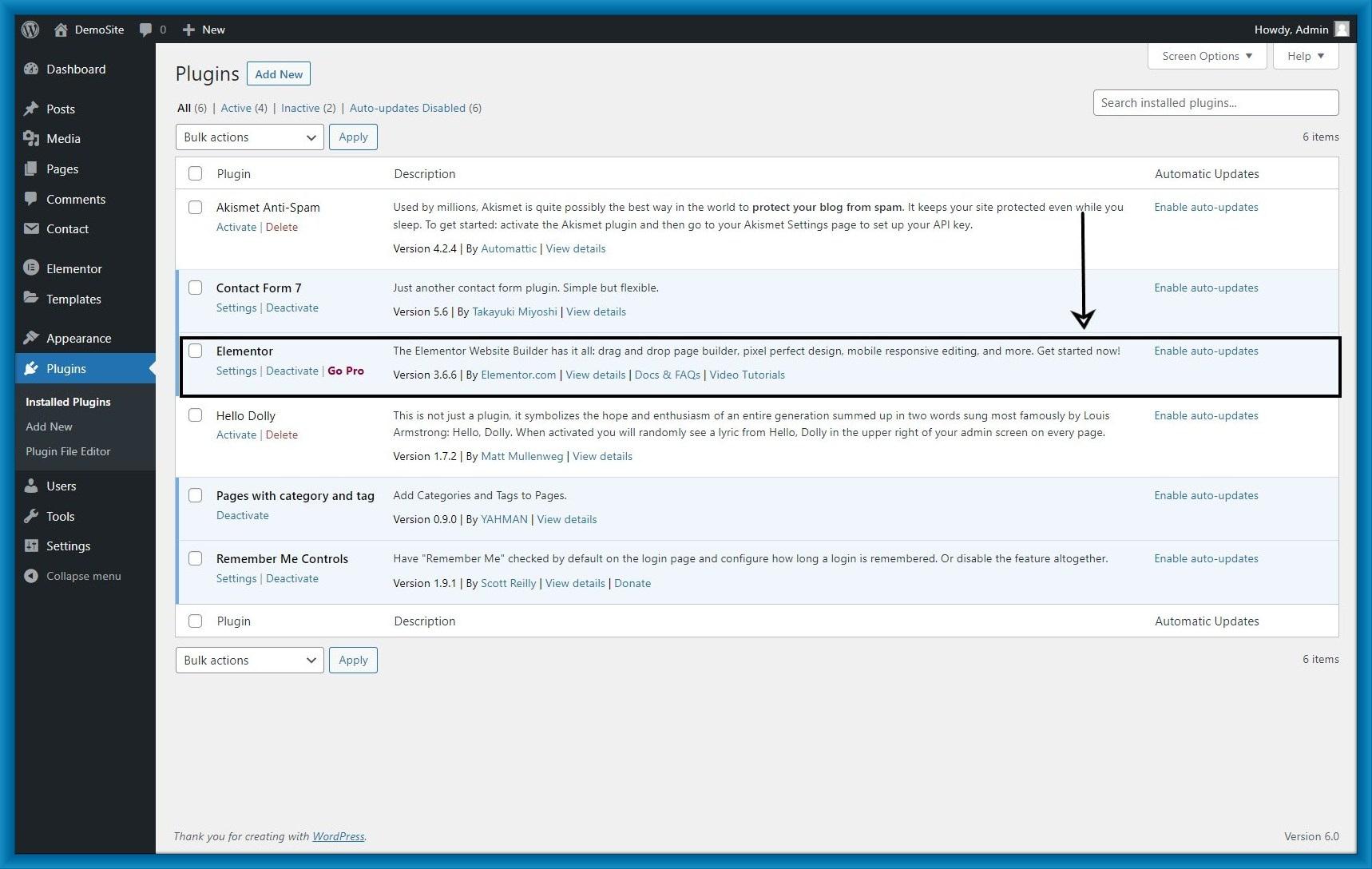
What Is Plugin?
A plug-in is a part of the software that adds new features or advances functionality on a current application. Generally used on websites that are made with content management systems – like Bigcommerce, WordPress, Joomla! and Drupal – plug-ins serve many useful goals for business owners and website visitors.
What Is the Use Of Plugin?
Plugins help bloggers and developers fine-tune their WordPress sites, and add extra features to a WordPress site, including payment methods, a shopping cart, forms, online courses, and much better.
1. Install a Plugin using WordPress Plugin Search:
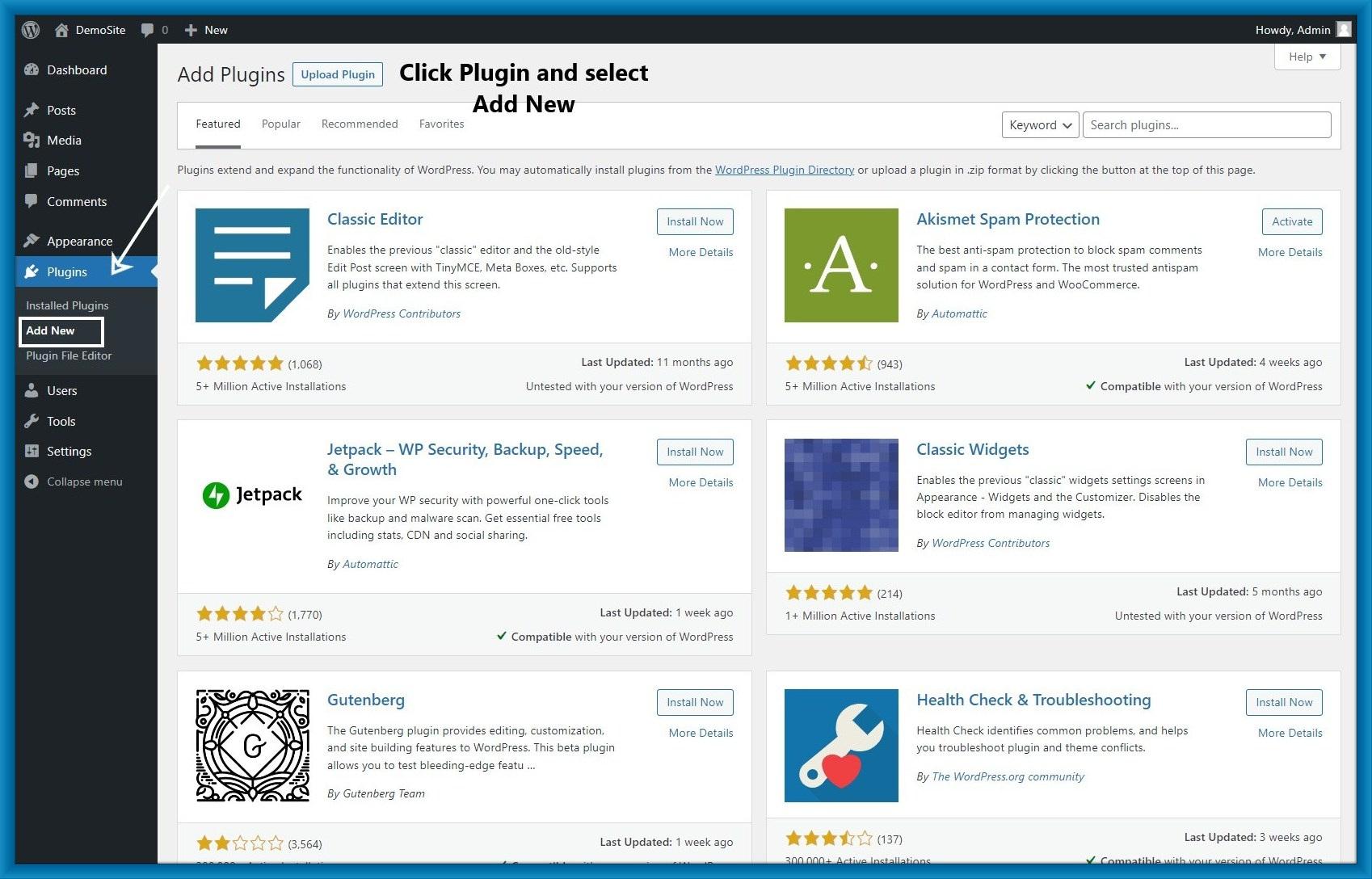
Step 1: Go to the WordPress dashboard and click Plugin>Add New.
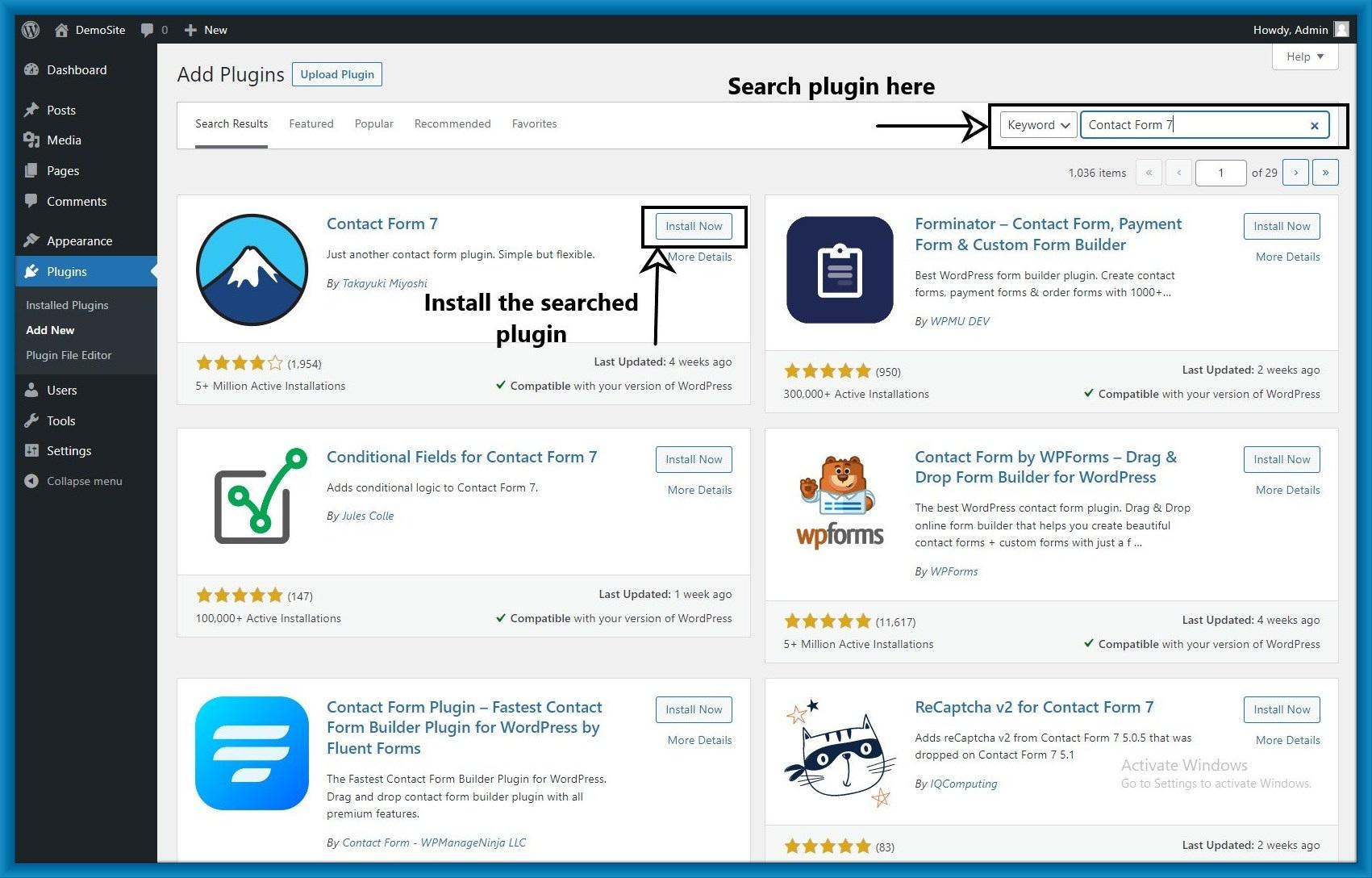
Step 2: Search for the plugin you want and then install that plugin.
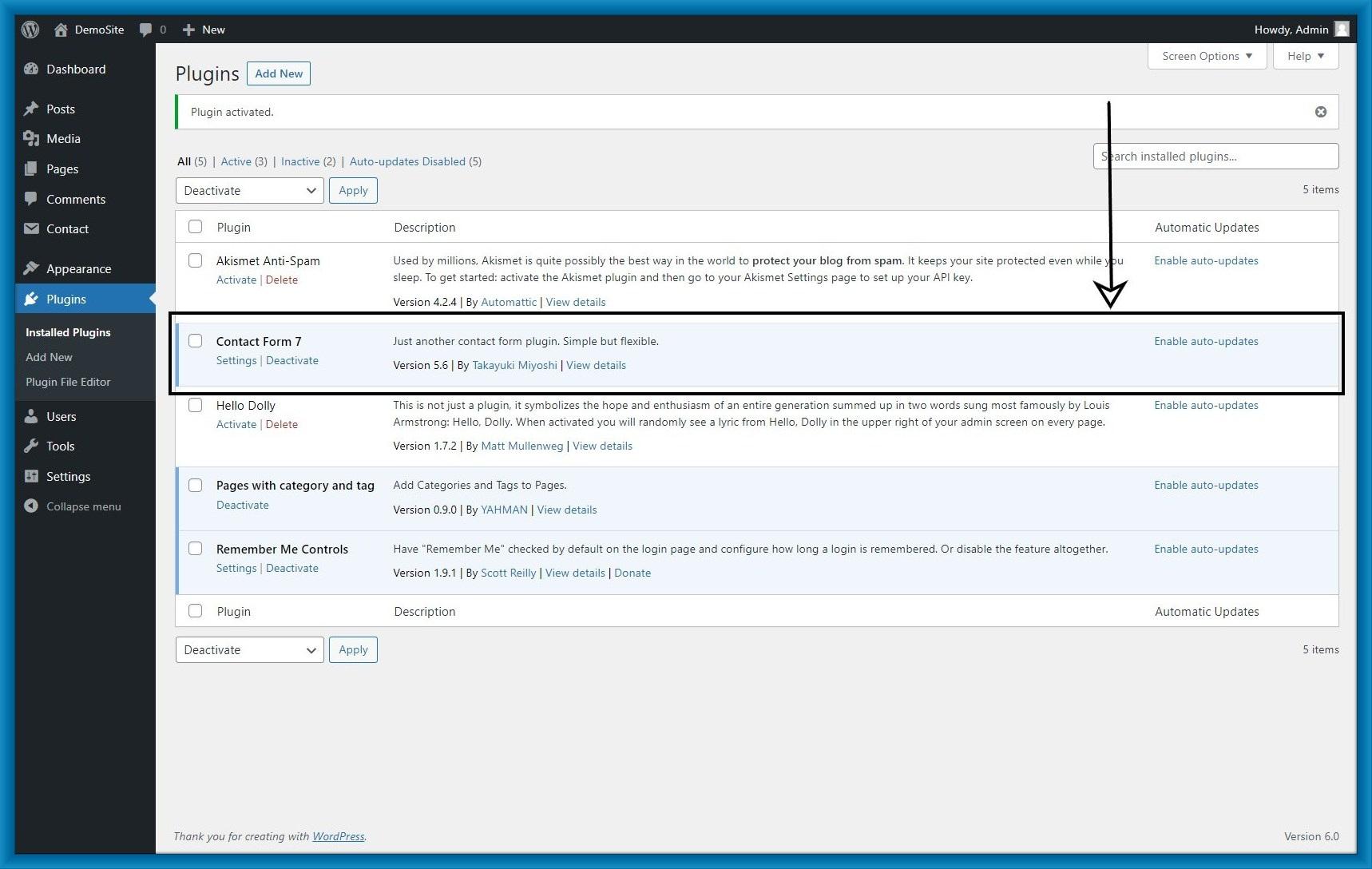
Step 3: After that Activate That plugin.
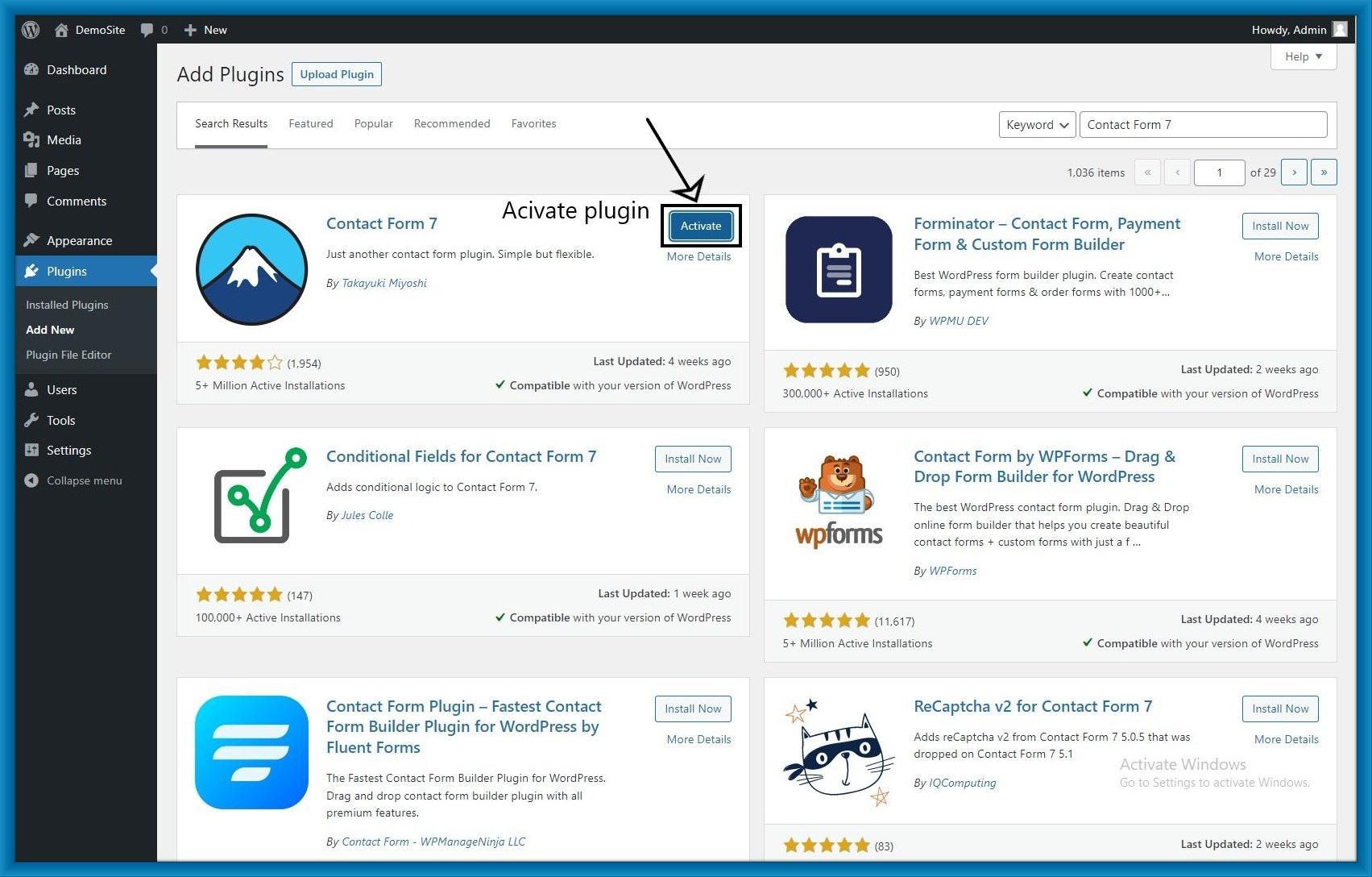
Step 4: Plugin installed successfully.
2. Install a Plugin using the WordPress Admin Plugin Upload:
Step 1: Go to the WordPress dashboard and click Plugin>Add New.
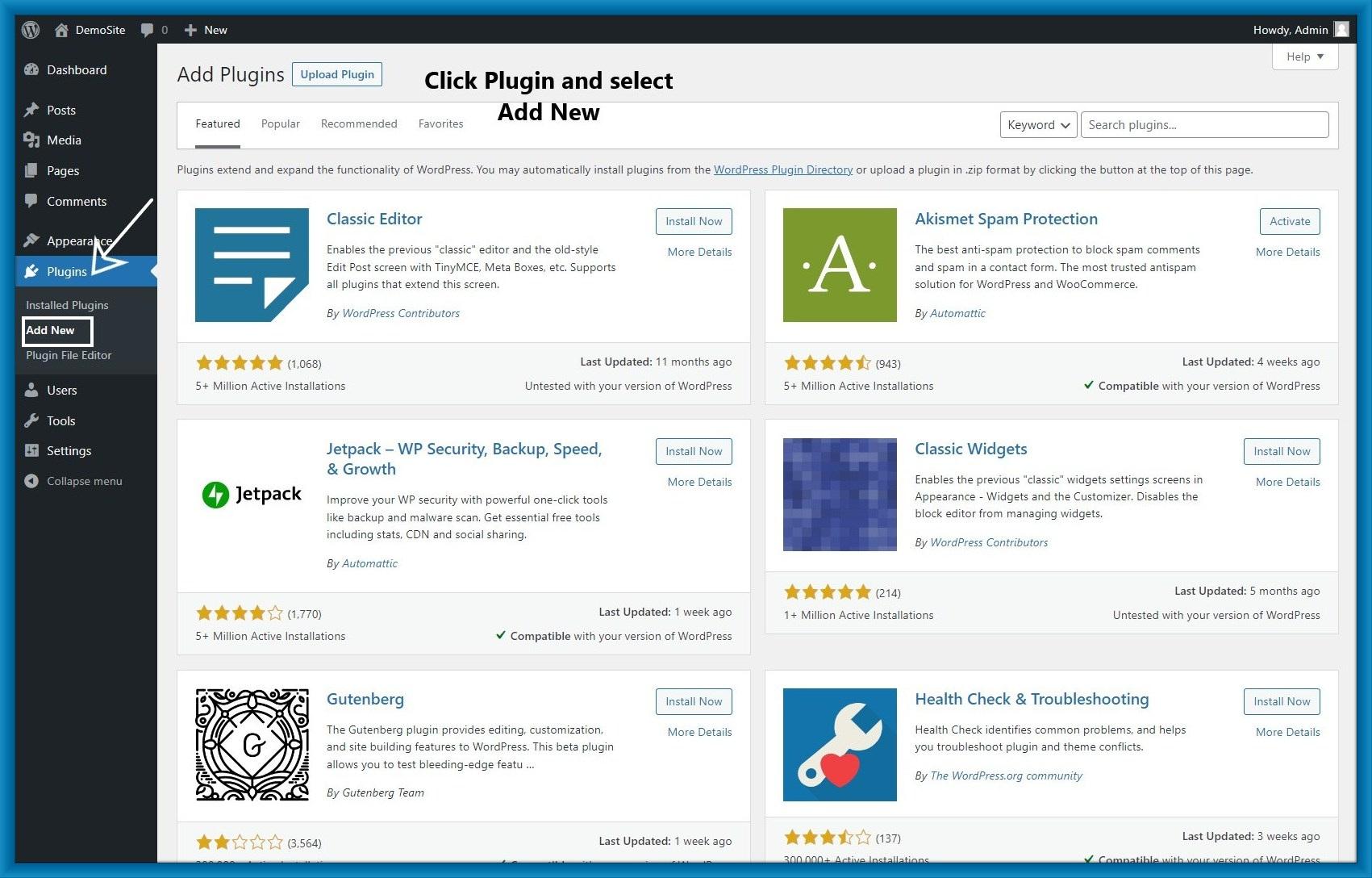
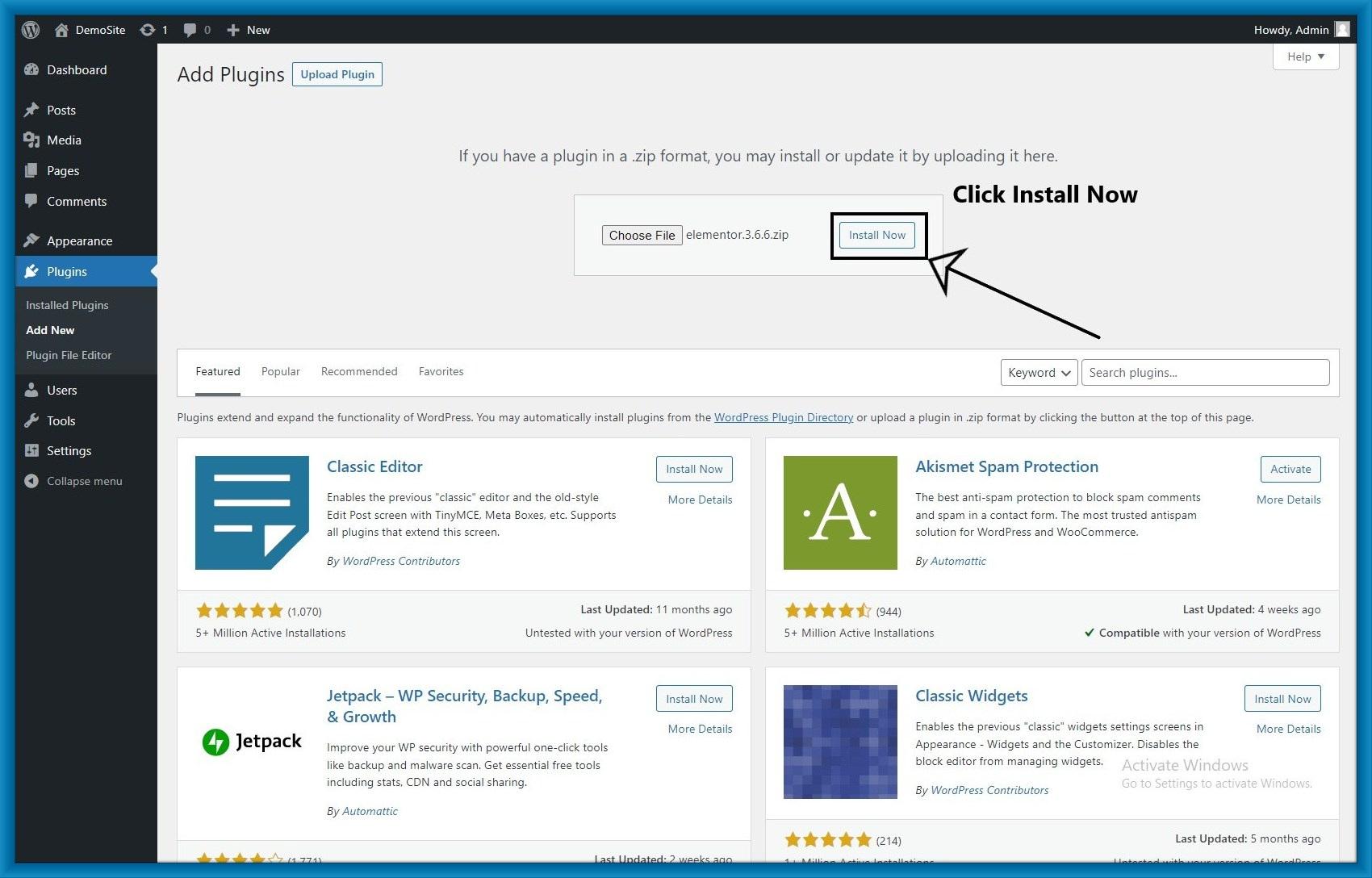
Step 2: Then Click Upload Plugin And choose plugin.zip file.
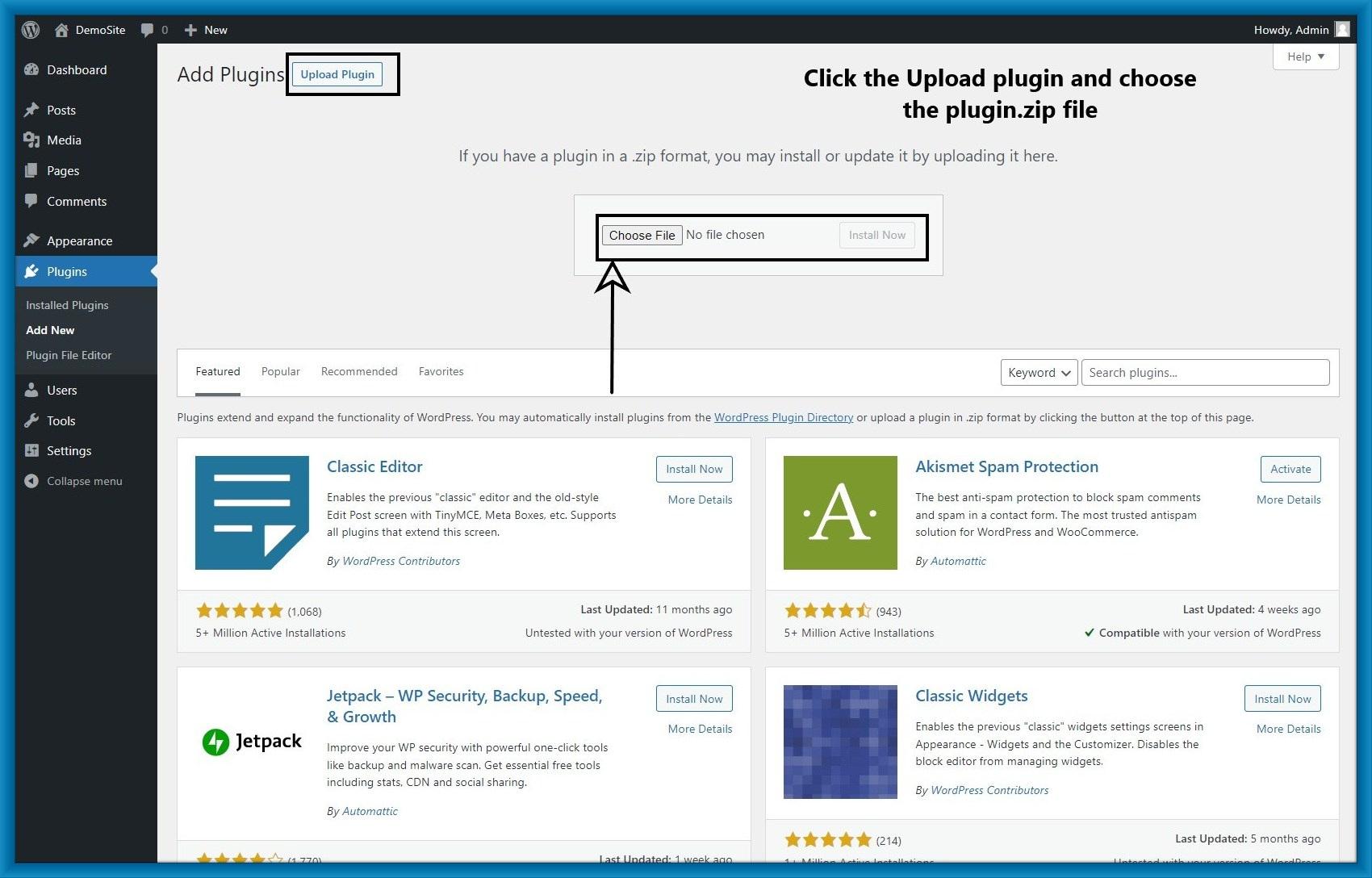
Step 3: After that Install that plugin.
Step 4: And Activate that.
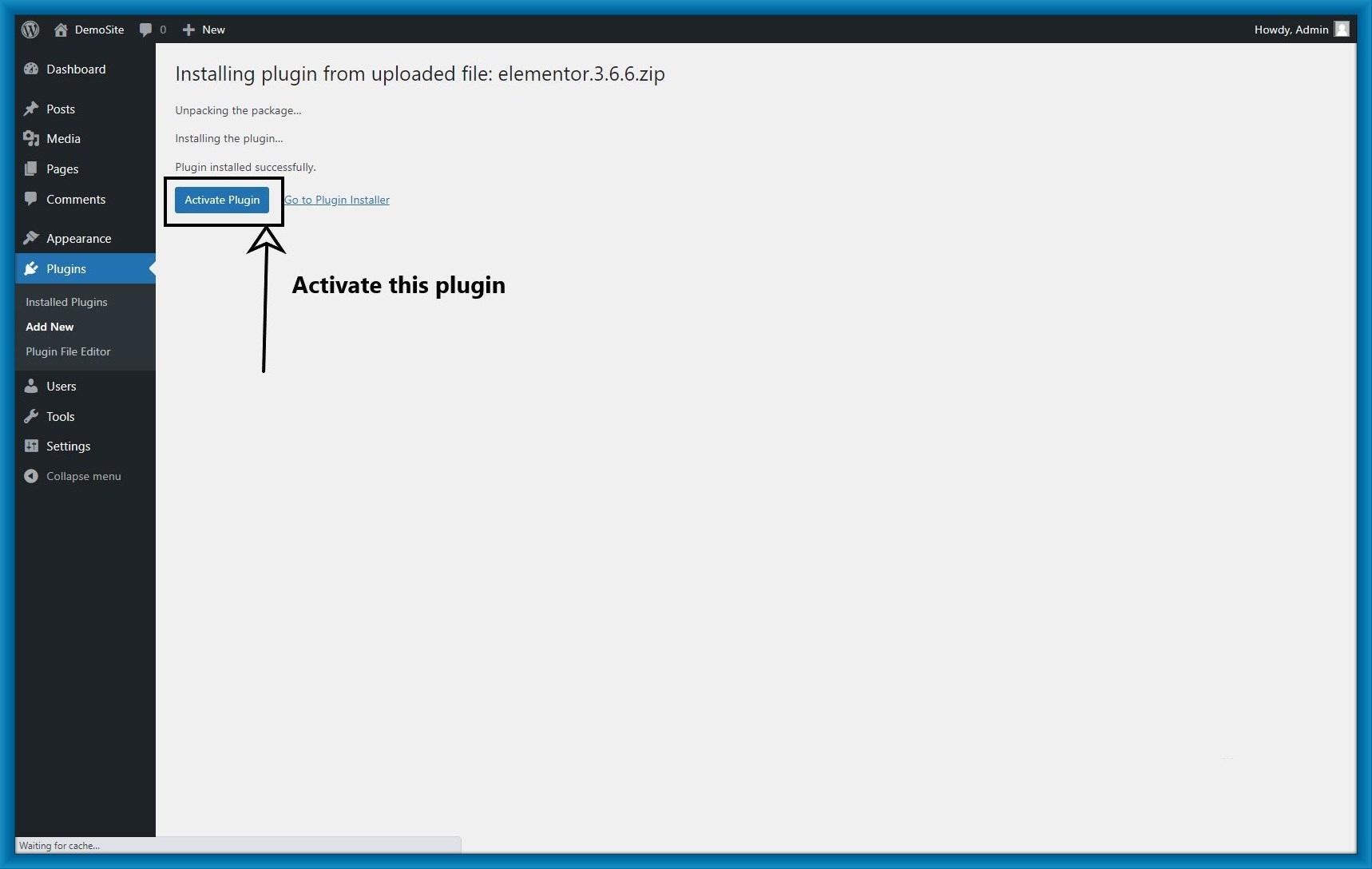
Step 5: Plugin installed Successfully.