The dark mode is a display setting that changes a website to a light-on-dark color scheme. This adjustment cuts down on the amount of white light coming from a screen, which can reduce eye strain, especially if you’re looking at the screen at night.
Step 1: First install and activate Wp dark Mode Plugin.
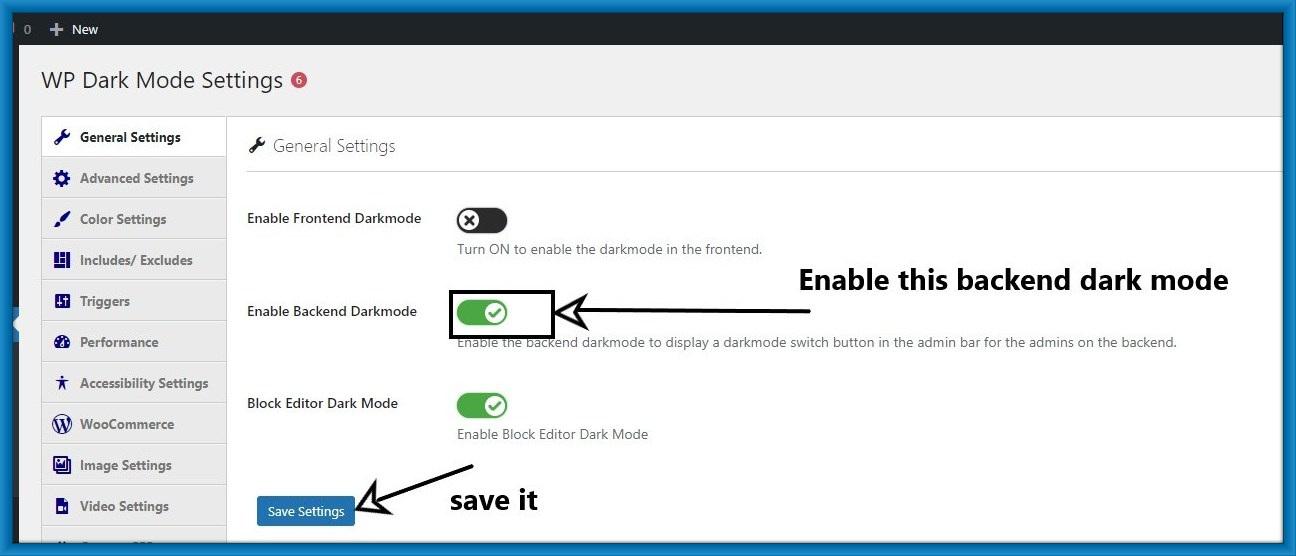
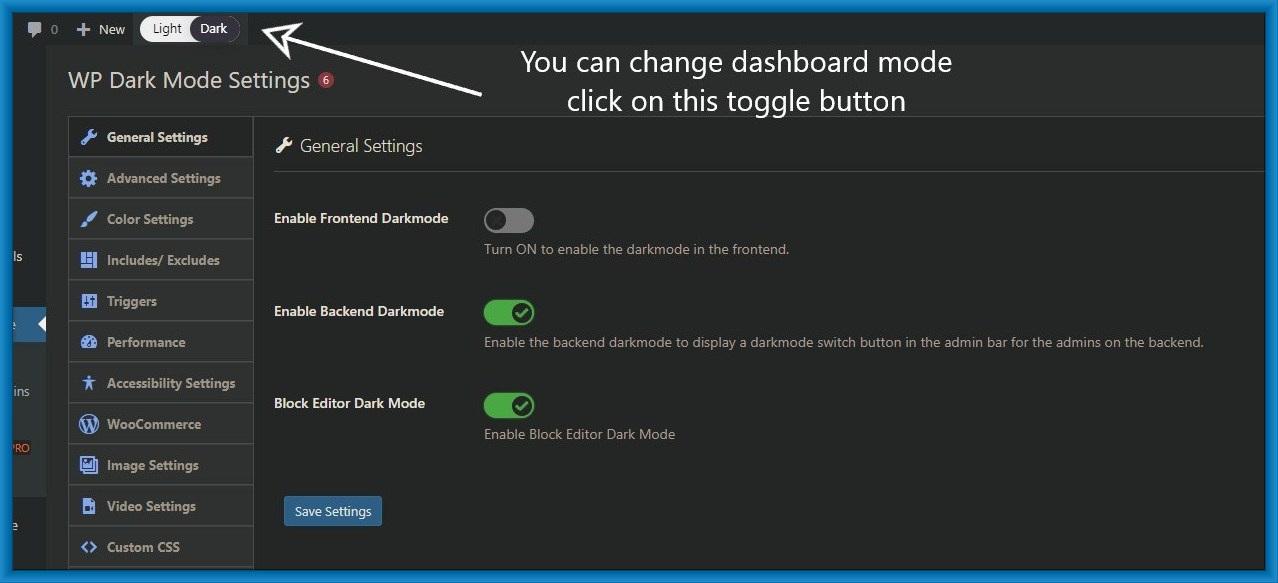
Step 2: Then go on Wp Dark mode general Settings.

Step 3: After that enable backend dark mode and save this setting.
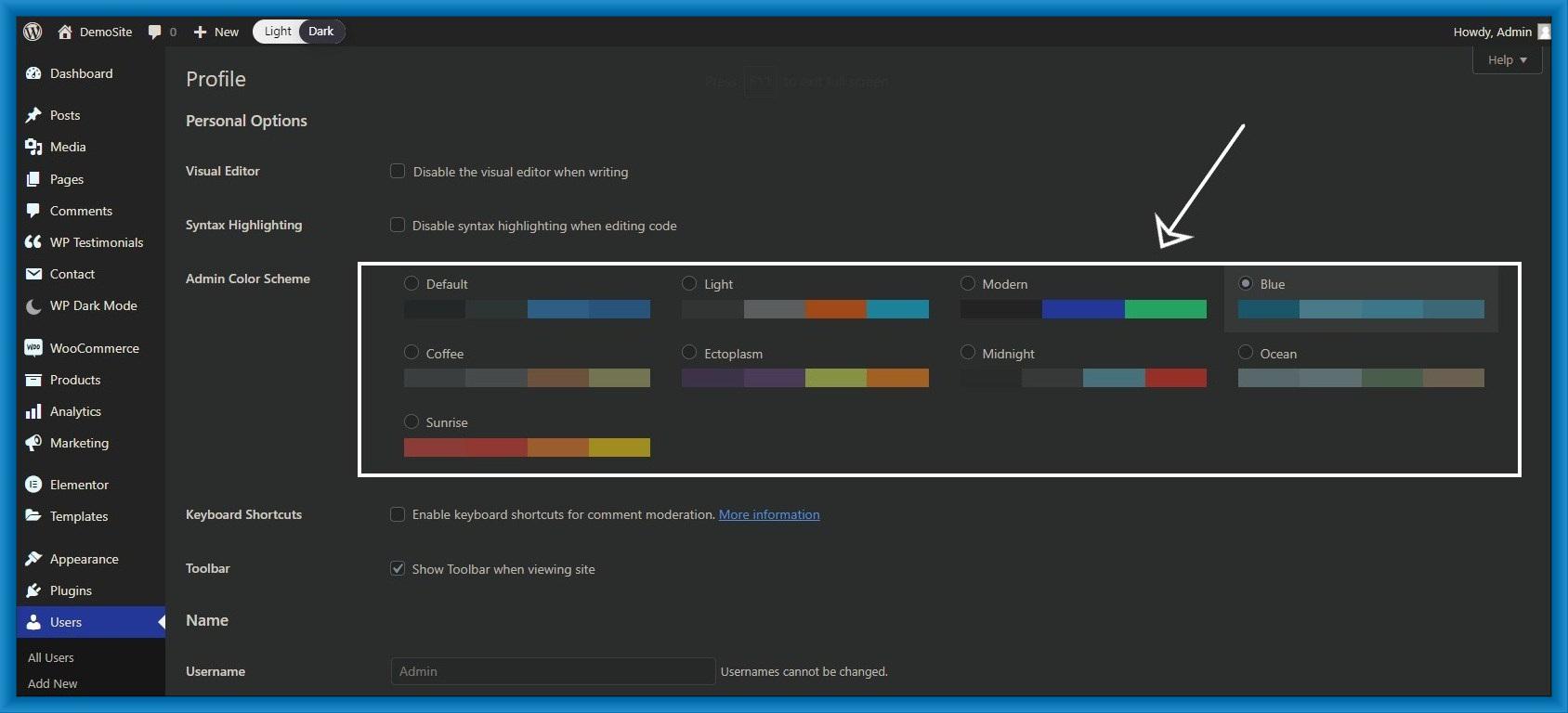
Step 4: After saving the setting You can see a new switch in the top bar of your admin area.
click on this toggle button and change the mode you want.
Step 5: Then adjust your admin color scheme to match your dark mode.