

Social Sharing allows your website users to share your website content over their social networks. It gives customers the ability to display their e-commerce purchases on Facebook, Twitter, Pinterest, or other platforms.
Step 1: First of all Install and activate Shared Counts Plugin.

Step 2: Then click Settings > Shared Count you can see the share count dashboard.
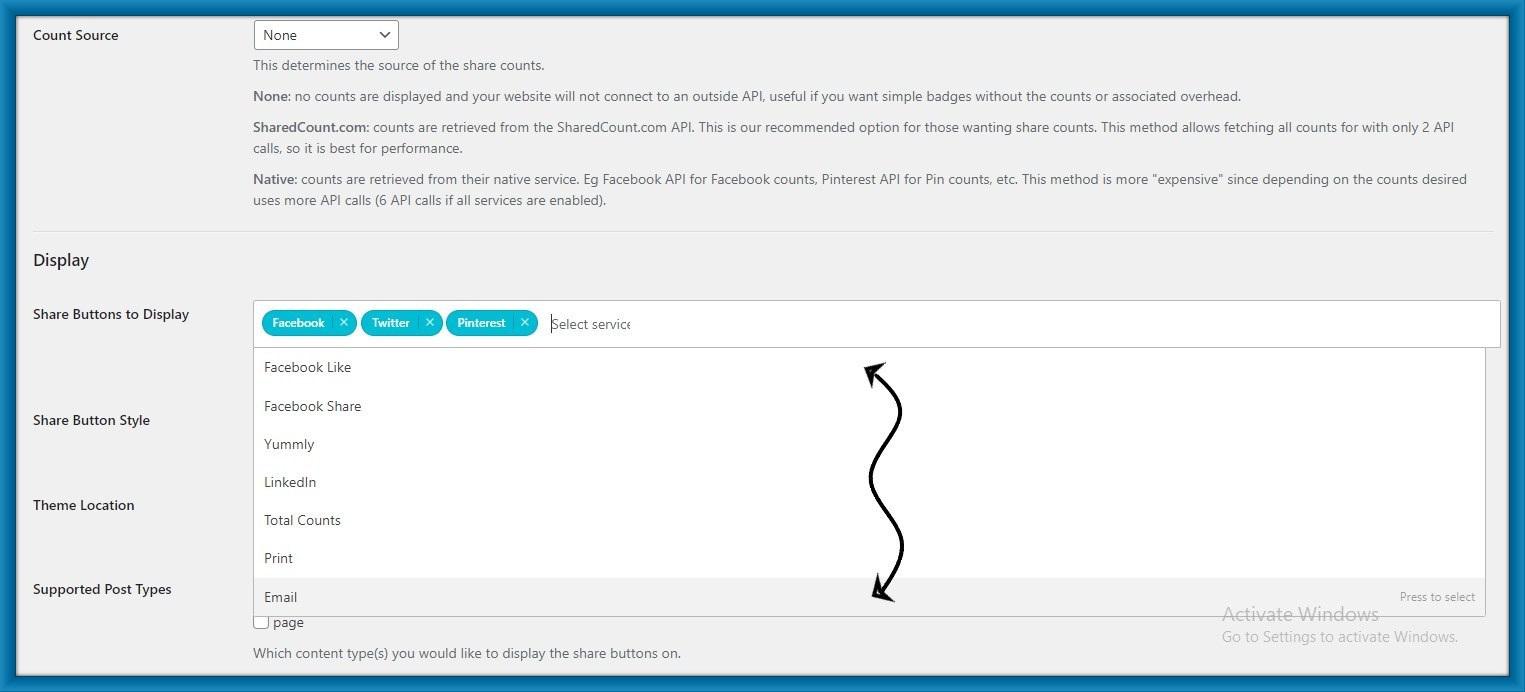
Here click on the White area and add more icons. you can see it in the below image.

Step 3: You can choose any icon to show on your site.
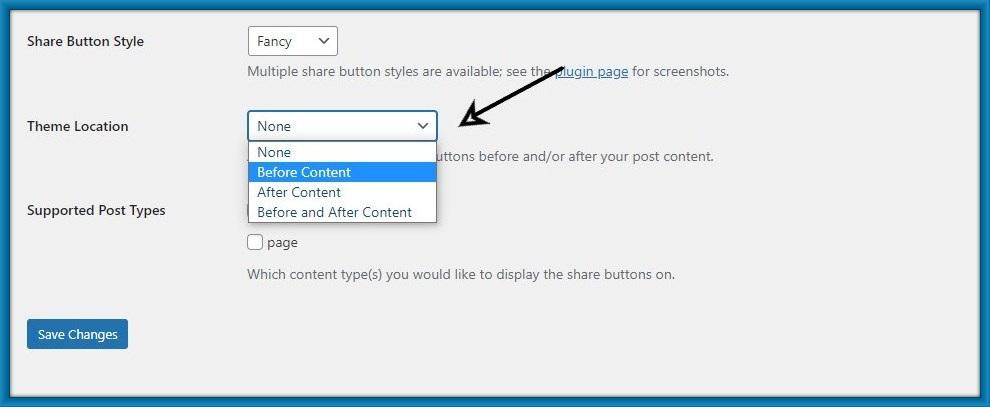
Step 4: Then Choose button style.

Step 5: And choose Then location.
Step 6: What do you want to show the share button post or page? choose any one of them.
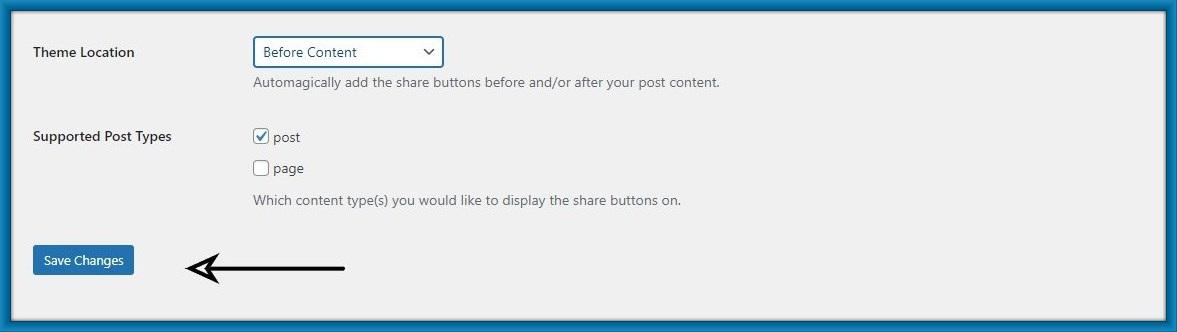
Step 7: you can see the social button on your post or page.