

Step 1: Click on the online store and select themes. then click Actions.

Step 2: After that click Edit code from Actions.

Step 3: This is the Theme edited section here you can edit your code.
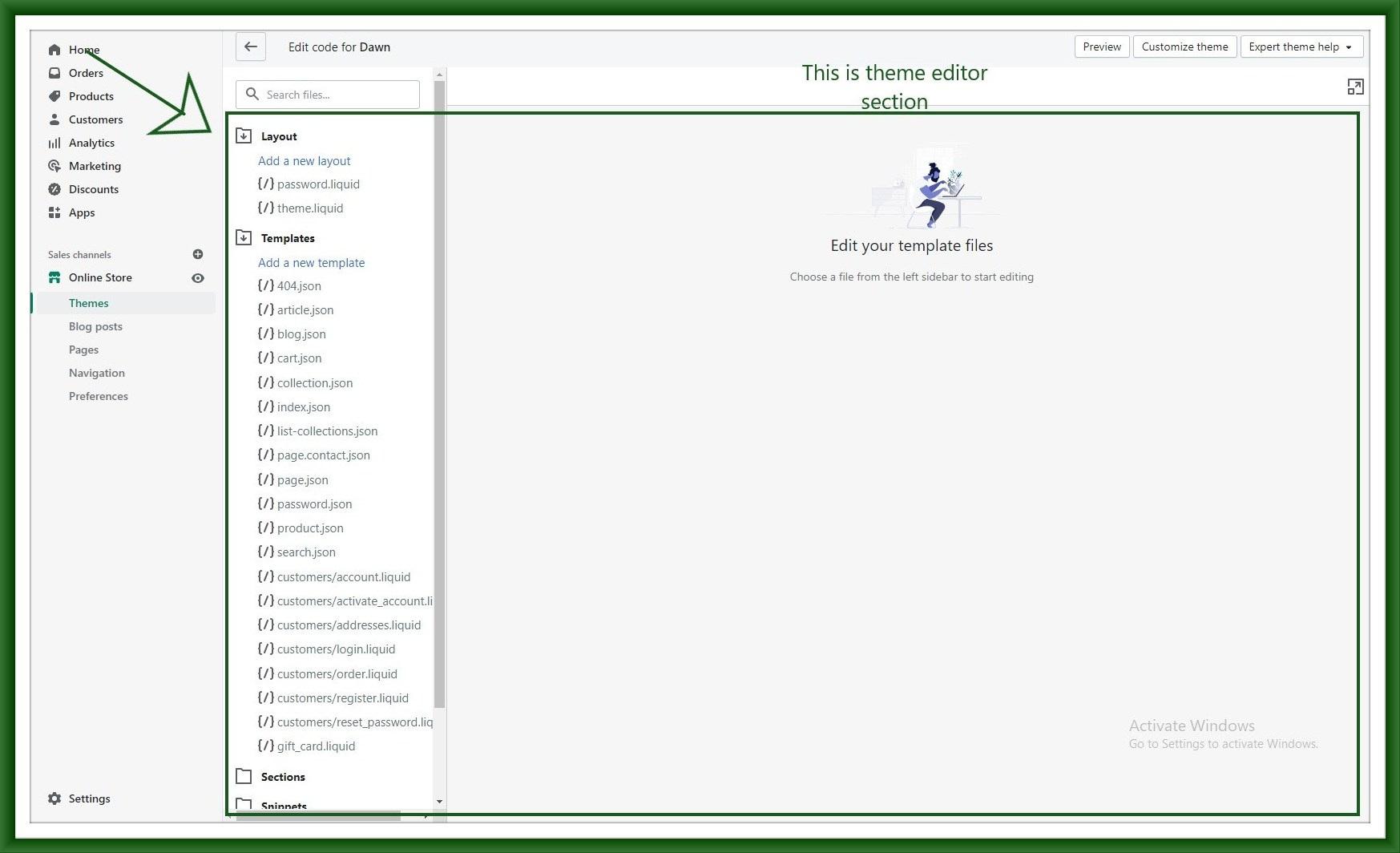
Step 4: Search footer.liquid and open that file.

Step 5: In this file search powered and find that word.

Step 7: After finding that word you can write any word after {{powered_by_link}}
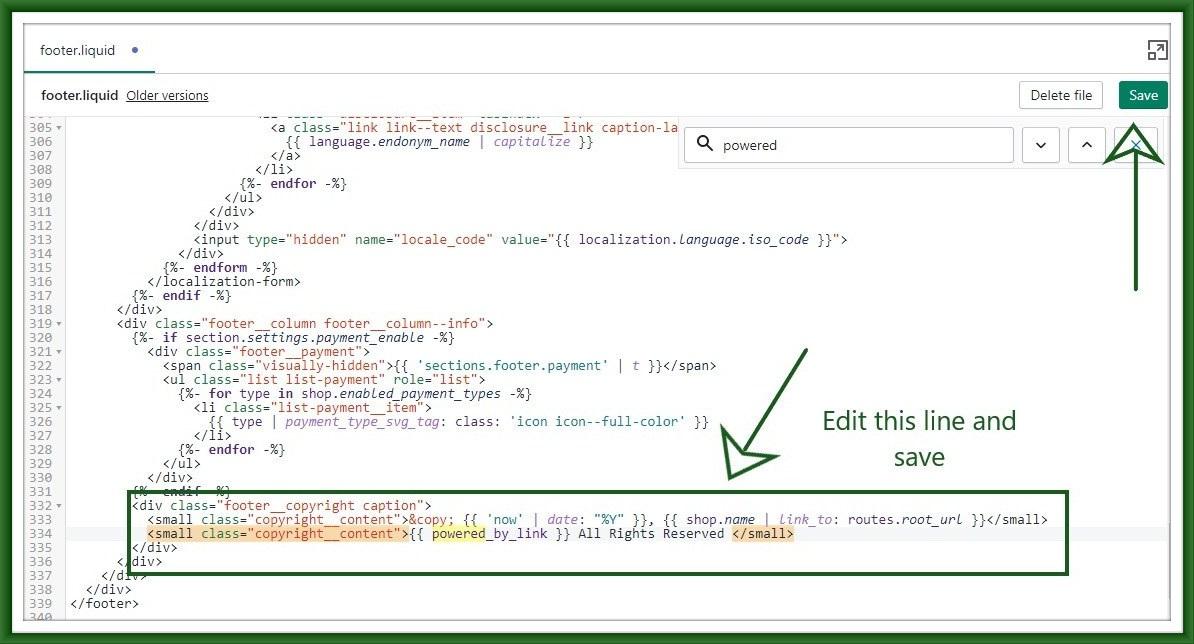
Step 8: Finally refresh your home page and see your changes in the footer.